

Best Travel Tips for Remote Work While Traveling
Working remotely while traveling offers freedom and flexibility—but only if you plan wisely. The best travel tips for remote work while traveling focus on reliable connectivity, smart scheduling, and minimizing disruptions. Whether you’re a digital nomad or squeezing in work between sightseeing, success starts with preparation. This guide covers essential strategies to stay productive, protect your data, and maintain work-life balance on the road.
Plan Your Destinations Around Internet Reliability
Not all destinations are created equal when it comes to Wi-Fi quality. Before booking a stay, research internet speeds and reliability. Look for accommodations that explicitly mention high-speed Wi-Fi or coworking spaces nearby.
Use tools like Speedtest.net or Nomad List to check average connection speeds in cities you’re considering. For example, Lisbon and Chiang Mai consistently rank high for digital nomads due to strong infrastructure and affordable coworking options.
Avoid Remote Islands and Rural Areas Without Backup Plans
While a beach hut in Bali might sound idyllic, poor connectivity can derail deadlines. If you choose a location with spotty service, always have a backup. Consider a local SIM card with data or a portable Wi-Fi hotspot.
Test your connection during off-peak hours. A café may advertise “high-speed Wi-Fi,” but it could slow to a crawl during lunch rush. Always confirm upload and download speeds before committing to a video call.
Invest in the Right Gear
Your laptop and accessories make or break your remote work experience. Prioritize portability, battery life, and durability. A lightweight laptop with at least 8 hours of battery ensures you can work from a park bench or airport lounge without scrambling for outlets.
Bring a universal power adapter, noise-canceling headphones, and a compact external keyboard if you type frequently. These small investments reduce stress and boost efficiency.
Protect Your Devices and Data
Public Wi-Fi networks are convenient but risky. Always use a reputable VPN to encrypt your connection. This prevents hackers from intercepting sensitive work emails or login credentials.
Enable two-factor authentication (2FA) on all work accounts. Keep backups of important files in encrypted cloud storage. If your device is lost or stolen, you’ll still have access without compromising security.
Create a Flexible Work Schedule
Time zone differences can complicate meetings and deadlines. Use tools like World Time Buddy to coordinate across regions. If you’re 12 hours ahead of your team, block out specific hours for collaboration.
Designate core work hours that align with your energy levels, not just your company’s. Some travelers work early mornings to free up afternoons for exploration. Others prefer late nights when cafes are quieter.
Communicate Expectations with Your Team
Let your manager and colleagues know your travel plans in advance. Share your availability and preferred communication channels. This prevents misunderstandings and builds trust.
If you’ll be offline for a few days, set an out-of-office message and delegate urgent tasks. Proactive communication reduces last-minute stress and keeps projects on track.
Choose Accommodations That Support Productivity
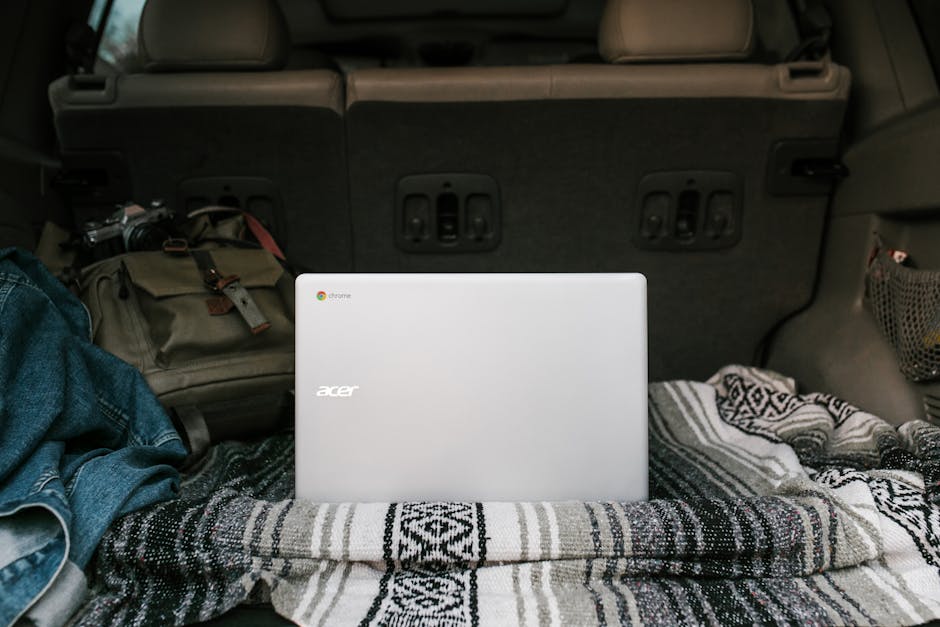
Not every Airbnb or hotel room is conducive to work. Look for listings with desks, ergonomic chairs, and good lighting. Read recent reviews mentioning Wi-Fi quality and workspace setup.
Coworking spaces are another excellent option. They offer reliable internet, printing services, and networking opportunities. Many cities now offer day passes or monthly memberships for travelers.
Test Your Workspace Before Committing
Arrive early to test the setup. Is the desk sturdy? Is the chair comfortable for long sessions? Can you plug in your laptop without crouching behind furniture? These details matter more than you think.
If the space isn’t suitable, don’t hesitate to switch. Your productivity is worth the extra effort. Some travelers book two nights at a new place to evaluate it before extending their stay.
Manage Time Zones Without Burning Out
Working across time zones can lead to odd hours and fatigue. Avoid scheduling back-to-back meetings that require you to wake up at 4 a.m. or stay up past midnight.
Use calendar blocking to protect personal time. Color-code work hours, travel time, and leisure. This visual system helps maintain balance and prevents overwork.
Use Asynchronous Communication When Possible
Not every discussion needs a live call. Use email, Slack, or project management tools like Trello or Asana to share updates. This reduces the need for real-time coordination across time zones.
Record short video updates using Loom or Zoom if visual context helps. This keeps your team informed without requiring everyone to be online at the same time.
Stay Organized with Digital Tools
Remote work while traveling demands strong organization. Use cloud-based tools to keep files accessible from any device. Google Drive, Dropbox, and Notion are reliable options.
Sync your calendar across all devices. Set reminders for deadlines, meetings, and travel logistics. A missed flight or forgotten task can disrupt your entire trip.
Automate Repetitive Tasks
Use automation tools like Zapier or IFTTT to streamline workflows. For example, automatically save email attachments to cloud storage or sync tasks between apps.
Reduce decision fatigue by templating common responses. Create email templates for client inquiries, status updates, or travel confirmations. This saves time and maintains professionalism.
Maintain Work-Life Balance on the Road
It’s easy to blur the lines between work and travel. Set clear boundaries. Define when your workday starts and ends—even if you’re in a new city.

Schedule downtime just like you would a meeting. Visit a museum, take a walk, or enjoy a local meal without checking emails. These moments recharge your creativity and prevent burnout.
Avoid Overworking to “Make Up” for Travel
Some travelers feel guilty about sightseeing and compensate by working extra hours. This leads to exhaustion and diminished returns. Remember: travel is part of the experience, not a distraction from work.
Track your productivity, not just hours logged. If you’re completing tasks efficiently, you’re doing well—even if you only worked four hours that day.
Prepare for Travel Delays and Emergencies
Flights get canceled. Trains run late. Buses break down. Always have a contingency plan. Download offline maps, save digital copies of important documents, and keep emergency contacts handy.
Notify your team if a delay might affect your availability. A quick message saying, “Flight delayed—will join the call 30 minutes late,” shows professionalism and respect.
Carry Essential Documents Digitally
Store digital copies of your passport, visa, insurance, and work contracts in a secure cloud folder. Use password protection and 2FA to prevent unauthorized access.
If you lose your phone or laptop, you can still retrieve critical information from another device. This small step can save hours of stress during emergencies.
Choose Travel Insurance That Covers Work Equipment
Standard travel insurance often excludes electronics or limits coverage. Look for policies that specifically cover laptops, cameras, and other work gear.
Read the fine print. Some insurers require receipts or proof of ownership. Keep a list of your devices with serial numbers and purchase dates.
Consider Rental Equipment for Long Trips
If you’re traveling for months, renting a laptop or camera locally might be safer than carrying expensive gear across borders. This reduces theft risk and customs complications.
Check coworking spaces or tech rental services in major cities. Many offer short-term leases with insurance included.
Network with Other Remote Workers
Connecting with fellow travelers can lead to valuable insights and support. Join Facebook groups, attend meetups, or use apps like Meetup or Nomad List to find events.
Sharing tips on reliable cafes, visa requirements, or local SIM cards saves time and builds community. You might even find a travel buddy for your next trip.

Learn Basic Phrases in Local Languages
Even if you’re working remotely, knowing a few local phrases improves your experience. Saying “hello,” “thank you,” or “where is the Wi-Fi?” in the local language opens doors and builds rapport.
Use apps like Duolingo or Google Translate to practice. Locals appreciate the effort, and it can make daily interactions smoother.
Keep Taxes and Legal Requirements in Mind
Working in a foreign country may have tax or visa implications. Some nations require a work visa even for short-term remote work. Research local laws before you go.
Countries like Portugal, Estonia, and Barbados offer digital nomad visas with clear guidelines. These programs often include tax benefits and legal clarity for remote workers.
Consult a Tax Professional if Needed
If you’re earning income while abroad, consult a tax advisor familiar with international rules. They can help you avoid double taxation and ensure compliance.
Keep detailed records of your location, income, and expenses. This documentation is essential for accurate reporting and potential audits.
Final Thoughts
The best travel tips for remote work while traveling combine practicality with foresight. Success comes from preparation, not luck. Prioritize reliable internet, protect your data, and maintain clear boundaries between work and exploration.
With the right mindset and tools, you can enjoy the freedom of remote work without sacrificing productivity or peace of mind. Travel enhances creativity and perspective—don’t let poor planning rob you of that benefit.
FAQ
What’s the most important thing to check before working remotely in a new country?
Always verify internet reliability and visa requirements. A strong connection keeps you productive, while proper documentation avoids legal issues.
Can I use public Wi-Fi for work while traveling?
Yes, but only with a trusted VPN. Public networks are vulnerable to hacking, so encryption is essential for protecting sensitive data.
How do I stay productive when working across time zones?
Use asynchronous communication, block your calendar, and set core work hours that align with your energy. Avoid over-scheduling to prevent burnout.